



Phone:
+86-18513327189

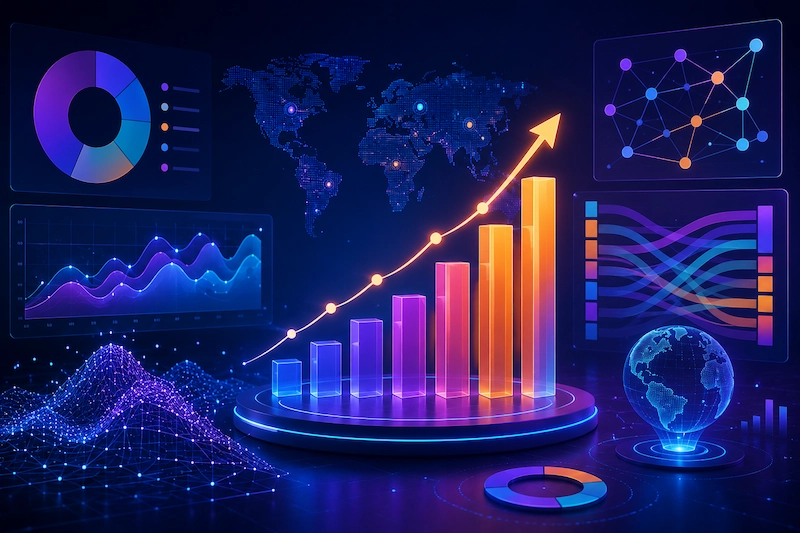
Data visualization in 2026 is not just about better charts. The field is undergoing a structural shift driven by AI-generated visuals, real-time streaming analytics, and the growing demand for data stories that move — literally. Static dashboards are giving way to animated, interactive, and conversational data experiences that change how organizations understand and act on information.
These are the trends that will have the most practical impact on how your team works with data this year.
The most immediate change in 2026 is how people create visualizations. Instead of selecting chart types, configuring axes, and manually formatting labels, users are describing what they want in natural language — and AI produces the chart.
Tools like Power BI Copilot, Tableau Pulse, and ThoughtSpot now support interactions like:
"Show me revenue by region for the last quarter, highlighted by growth rate"
"Compare customer acquisition cost across our top 5 channels as a ranked bar chart"
"Visualize the correlation between marketing spend and pipeline generated"
The AI interprets the intent, selects an appropriate chart type, applies formatting, and generates a visualization that can be refined with follow-up instructions.
| Audience | Impact |
|---|---|
| Business analysts | Faster exploration; generate 10x more chart variations in the same time |
| Non-technical stakeholders | Self-service access to visualizations without learning a BI tool |
| Data teams | Reduced request volume for standard charts; more time for complex analysis |
| Leadership | On-demand visual answers during meetings instead of pre-prepared decks |
AI-generated charts are effective for standard chart types (bar, line, scatter, pie) applied to well-structured data. They fail when:
The data requires significant transformation before visualization
The visual needed is a custom or composite chart type not in the AI's training set
Brand-specific styling requirements must be applied precisely
The visualization needs to tell a story with carefully controlled pacing and emphasis
For these scenarios, human-designed data visualization — whether through advanced BI tools or custom design services — remains essential.
The most visually distinctive trend of 2026 is the rise of animated data visualization — charts, graphs, and data stories that use motion to reveal patterns, show change over time, and guide audience attention.
Static charts require the viewer to do the cognitive work of comparing values, tracking trends, and drawing conclusions. Animated data visualization does that work for them:
Time-series animations show data evolving over months or years in seconds, making trends immediately visible
Morphing transitions between chart types (bar chart to line chart to map) reveal different dimensions of the same data without overwhelming the viewer
Attention-guiding motion highlights key data points, draws the eye to outliers, and creates narrative emphasis
Particle and flow animations represent volume, movement, and relationships in ways that static graphics cannot
| Use Case | Why Animation Works | Typical Production Approach |
|---|---|---|
| Investor and board presentations | Reveals data progressively to build a narrative arc | Custom motion graphics (After Effects / custom code) |
| Marketing campaigns with data | Captures attention in social feeds; increases shareability | Animated infographics and data-driven social content |
| Annual reports and public communications | Makes complex organizational data accessible to non-expert audiences | Interactive web-based animated dashboards |
| Sales enablement | Dynamically shows ROI projections and competitive comparisons | Template-based animated charts in pitch tools |
| Product launches with data claims | Builds credibility by visually demonstrating data behind claims | Animated data stories for web and video |
Animated data visualization sits at the intersection of data analysis and motion graphics. Most BI tools (Tableau, Power BI) offer limited animation capabilities. Producing high-quality animated data stories typically requires:
A data analyst to prepare and validate the dataset
A motion designer to animate the visualizations
A developer (for interactive or web-based outputs) to build the technical implementation
This is where a specialized data visualization service with motion graphics capability becomes valuable — it bridges the gap that neither BI tools nor standard animation studios cover well.
The expectation for data freshness has compressed from "updated daily" to "updated in real time." In 2026, operational dashboards that refresh every few seconds are standard in logistics, fintech, e-commerce, and infrastructure monitoring.
Building real-time dashboards is fundamentally different from batch-processed reporting:
| Component | Traditional BI | Real-Time Visualization |
|---|---|---|
| Data pipeline | ETL batch jobs (hourly/daily) | Streaming pipelines (Kafka, Kinesis, Flink) |
| Storage | Data warehouse (overnight refresh) | Operational database or streaming analytics engine |
| Query approach | Pre-calculated aggregates | Continuous queries on live data streams |
| Rendering | Static or periodic refresh | WebSocket-driven live updates |
| Infrastructure cost | Moderate | Significantly higher (compute + streaming + storage) |
Not every dashboard needs real-time data. The investment is justified when:
Decisions are time-sensitive — Trading, fraud detection, server monitoring, logistics tracking
Customer-facing data must be current — Live order tracking, inventory availability, pricing dashboards
Operational alerts require immediate response — Manufacturing processes, healthcare monitoring, security operations
For monthly reporting, quarterly reviews, and strategic planning, traditional batch-processed data visualization remains more cost-effective and often more reliable.
Augmented analytics uses machine learning to automatically surface patterns, anomalies, and insights from data without requiring users to manually explore charts. In 2026, this capability is moving from a novelty to an expected feature.
Automated anomaly detection — The system flags unusual data points and trends that deviate from expected patterns, reducing the risk of missing critical changes
Key driver analysis — Automatically identifies which factors are most influencing a target metric (e.g., what is driving the increase in customer churn)
Forecasting with confidence intervals — Generates projections with visual uncertainty ranges, making forecasts more honest and actionable
Natural language explanations — Generates plain-English summaries of what the data shows, making insights accessible to non-technical stakeholders
| Tool | Augmented Analytics Strength |
|---|---|
| Tableau Pulse | AI-powered insights delivered proactively; natural language explanations |
| Power BI Copilot | Natural language query and report generation; automated narrative summaries |
| ThoughtSpot | AI-driven search and insight generation across large datasets |
| Qlik Sense | Associative engine automatically reveals hidden relationships in data |
| Tellius | Purpose-built augmented analytics with automated insight generation |
While still early in adoption, immersive data visualization — using augmented and virtual reality to explore data in three-dimensional space — is gaining traction in specific industries.
Architecture and urban planning — Walking through 3D visualizations of building performance data, traffic patterns, and environmental impact
Healthcare — Exploring patient data, surgical planning metrics, and medical imaging in 3D space
Manufacturing and logistics — Visualizing factory floor data, supply chain flows, and warehouse operations spatially
Financial trading — 3D representations of market data, risk surfaces, and portfolio exposure
Immersive data visualization requires significant investment in hardware (Apple Vision Pro, Meta Quest), custom development, and specialized design skills. The use cases where it delivers clear value over traditional 2D visualization are narrow. For most business intelligence needs, the ROI does not yet justify the investment.
Track this space, pilot with a specific use case if you have one, but do not redirect budget from core data visualization capabilities to fund an immersive initiative in 2026.
Accessibility in data visualization has moved from a "nice to have" to a compliance requirement. The European Accessibility Act (effective June 2025), updated WCAG 2.2 guidelines, and increasing corporate DEI commitments are driving this change.
| Requirement | Implementation |
|---|---|
| Color independence | Never rely solely on color to convey meaning; use patterns, shapes, and labels as secondary indicators |
| Screen reader compatibility | Provide descriptive alt text for every chart; use ARIA attributes for interactive visualizations |
| Keyboard navigation | All interactive elements must be operable without a mouse |
| High contrast | Chart elements must meet WCAG AA contrast ratios (4.5:1 for text, 3:1 for large text and graphics) |
| Reduced motion support | Animated visualizations must respect prefers-reduced-motion settings and provide static alternatives |
| Alternative text descriptions | Every data visualization must have a text-based summary of the key insight |
Approximately 15% of the global population has some form of disability. Inaccessible data visualization does not just risk legal action — it excludes a significant portion of your audience, customers, and internal stakeholders from engaging with your data.
The fastest-growing category of data visualization in 2026 is not internal dashboards — it is embedded analytics. Companies are building data visualization directly into their customer-facing products, creating data experiences that differentiate their offerings.
SaaS platforms embedding usage analytics, performance dashboards, and benchmark comparisons for their customers
Financial services providing clients with interactive portfolio visualization and risk analysis tools
E-commerce platforms offering merchants real-time sales dashboards and customer behavior visualizations
Healthcare platforms giving patients visual access to their health data trends and treatment progress
| Approach | Timeline | Cost | Customization |
| Embed with Looker or Metabase | 4–12 weeks | $5,000–20,000/month (licensing) | Moderate — constrained by platform capabilities |
| Custom build with D3.js or similar | 8–24 weeks | $50,000–200,000 (development) | Full — complete control over every pixel |
| White-label data visualization service | 3–8 weeks | $10,000–50,000 (project) | High — designed to match your brand and UX |
The right choice depends on whether embedded analytics is a core product feature (build or custom service) or a value-add complement to existing functionality (embed with existing platform).
A newer but growing consideration: the environmental cost of data visualization at scale. Large real-time dashboards, complex 3D visualizations, and AI-generated chart iterations consume significant compute resources.
Optimize data queries to minimize unnecessary computation
Use efficient rendering approaches (Canvas over SVG for large datasets, static exports for periodic reports)
Consolidate dashboards to reduce the number of always-on real-time displays
Implement smart refresh rates — not every dashboard needs second-by-second updates
Choose cloud providers with renewable energy commitments for analytics infrastructure
This is not a primary decision factor for most teams in 2026, but it is appearing in RFPs and sustainability reports with increasing frequency.
Prioritize based on where your organization sits on the data maturity curve:
Focus on: Choosing the right BI tool (see our Data Visualization Tools Comparison), establishing data governance, and ensuring accessibility compliance. Do not chase trends until the fundamentals are solid.
Focus on: Animated data visualization for high-stakes presentations and marketing, augmented analytics to reduce the burden on your data team, and embedded analytics if you have a customer-facing product.
Focus on: AI-generated visualization for speed, real-time streaming for operational excellence, and immersive visualization for industry-specific use cases where 3D adds genuine value.
A single animated data visualization for a presentation or video typically costs3,000–10,000 depending on complexity, data volume, and the level of interactivity. A full animated data story (3–5 minutes with multiple animated charts) ranges from10,000–35,000. These costs reflect the combination of data analysis, design, and motion graphics expertise required.
No. Most trends in this list can be layered on top of your existing BI infrastructure. AI-powered features are being added to Tableau, Power BI, and Looker through updates. Animated data visualization is typically produced outside the BI tool for specific high-impact use cases. Only replace your BI tool if it fundamentally cannot meet your analytical needs — not to chase trends.
For most organizations, augmented analytics (AI-generated insights and natural language query) delivers the highest ROI because it makes existing data accessible to a broader audience without requiring every user to learn a BI tool. If your priority is external impact — marketing, sales, or investor communications — animated data visualization provides the most visible differentiation.
Start with three immediate actions: (1) Audit your current dashboards for color-only encoding — add patterns, labels, or shapes as secondary indicators. (2) Add descriptive alt text to every chart in your reports and presentations. (3) Enable reduced-motion alternatives for any animated visualizations. These three steps address the most common accessibility failures.
Data visualization trends in 2026 are not just about new chart types — they are about fundamentally different ways of communicating with data. Whether you need AI-accelerated dashboards, animated data stories for your next presentation, or custom interactive visualizations that go beyond what any tool can produce, the right approach depends on your audience, your data, and your objectives.
For custom data visualization that combines analytical rigor with visual impact, explore what FireFishs Studios can build for your organization.