


Phone:
+86-18513327189

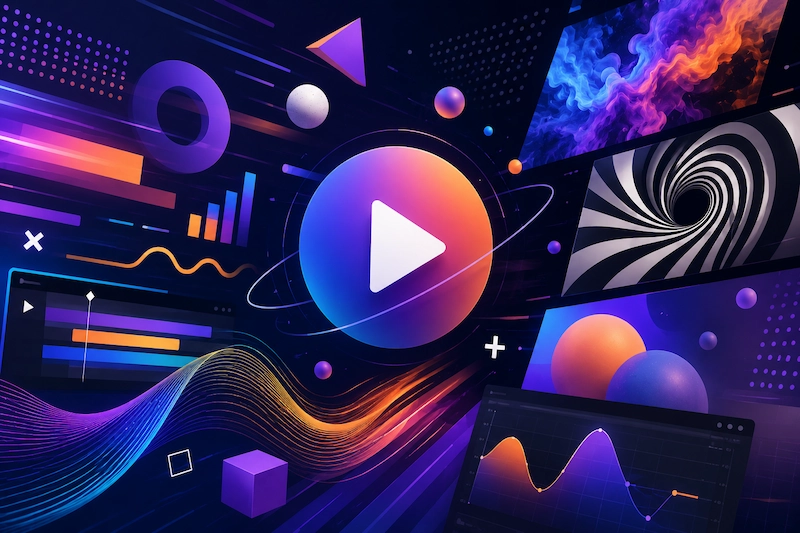
Motion graphics have shifted from a nice-to-have visual flourish to a core business communication tool. In 2026, the convergence of AI-powered workflows, real-time rendering, and cross-platform demand is reshaping how studios plan, produce, and deliver animated content. Whether you are commissioning your first explainer video or scaling an in-house creative team, understanding these trends will help you allocate budgets more effectively and choose the right production partners.
Three forces are accelerating change across the industry:
AI-assisted production pipelines — Tools like Runway Gen-3, Pika, and Adobe Firefly Motion now handle tasks that previously required hours of manual keyframing, from generating background animations to automating lip-sync on character rigs. This does not replace designers; it compresses timelines by 30–50% on routine tasks, freeing senior artists to focus on creative direction.
Platform-specific content demands — Instagram Reels, TikTok, YouTube Shorts, and LinkedIn video each have distinct aspect ratios, pacing expectations, and audience behaviors. A single deliverable no longer works across channels. Brands now commission multi-format packages from the outset.
Viewer expectation of motion as default — Static product pages, pitch decks, and even email campaigns increasingly incorporate animated elements. Motion graphics are no longer reserved for video; they are embedded into web experiences, interactive presentations, and digital signage.
The most significant operational shift in 2026 is how studios integrate AI into existing pipelines rather than treating it as a standalone tool.
| Production Phase | Traditional Approach | AI-Augmented Approach (2026) |
|---|---|---|
| Storyboarding | Hand-drawn frames, 2–3 revision rounds | AI-generated concept frames from text prompts, refined by art directors |
| Asset Creation | Manual vector/raster illustration | AI-assisted generation of background elements, textures, and pattern libraries |
| Animation | Full manual keyframing | AI handles secondary motion (cloth, hair, particles); artists focus on primary performance |
| Rendering | Long CPU/GPU render queues | Real-time preview with AI upsampling for final output |
| Versioning | Duplicate and manually adjust each cut | Parametric templates with AI-driven auto-resize and reformat |
What this means for buyers: Projects that previously took 6–8 weeks can now be completed in 3–4 weeks without sacrificing quality — but only if your studio has invested in these workflows. When evaluating motion graphics partners, ask specifically about their AI integration and whether it translates to tangible timeline and cost savings for your project.
AI cannot replace strategic thinking, brand-aligned art direction, or the nuance of motion that communicates emotion. The best studios in 2026 use AI to eliminate grunt work while keeping human designers firmly in the creative driver's seat. If a vendor promises "AI-generated videos" without mentioning human oversight, treat it as a red flag.
Real-time rendering engines — particularly Unreal Engine 5 and Blender's EEVEE Next — have eliminated the traditional tradeoff between 3D quality and production speed.
Historically, 3D motion graphics cost 2–4x more than 2D equivalents due to modeling, lighting, rendering, and compositing overhead. In 2026:
Real-time rendering produces near-final quality at interactive frame rates, reducing render farm costs by up to 80%.
Procedural generation tools create complex 3D environments from parametric inputs, cutting modeling time dramatically.
Hybrid 2D/3D workflows allow studios to layer 3D elements over 2D designs, giving clients the premium look of 3D without full-scene 3D budgets.
Practical takeaway: If you previously ruled out 3D due to budget constraints, revisit the conversation. Many studios now offer 3D-enhanced packages at price points that would have been impossible even 18 months ago.
Kinetic typography — animated text that conveys meaning through motion, scale, and rhythm — has graduated from a title-card technique to a full content format.
| Use Case | Engagement Impact | Typical Production Cost |
|---|---|---|
| Social media ads (15–30 sec) | 2–3x higher completion rate vs. static text | 1,500–4,000 |
| Internal communications | 40% higher message retention | 3,000–8,000 |
| Event openers and transitions | Stronger audience attention within first 3 seconds | 5,000–15,000 |
| Product launch sequences | 25% increase in click-through to product page | 4,000–12,000 |
The format works because it demands attention without requiring voiceover, complex illustrations, or character animation. It is the most cost-effective way to produce visually compelling motion graphics at scale.
Brands are moving beyond one-off videos to build comprehensive motion design systems — libraries of reusable animated components that ensure visual consistency across every touchpoint.
Transition animations for video cuts, page loads, and section reveals
Micro-interactions for buttons, toggles, form submissions, and notifications
Loading and progress indicators with brand-aligned styling
Data visualization animations for charts, graphs, and dashboards
Icon and illustration animation libraries with standardized timing curves
Companies like Stripe, Linear, and Apple have set the standard. In 2026, mid-market brands are following suit because motion consistency directly impacts perceived product quality and user trust.
Budget consideration: A full motion design system typically requires an initial investment of15,000–50,000 depending on component count and complexity, but it reduces per-project animation costs by 40–60% over a 12-month period.
The line between motion graphics and interactive experience is dissolving. In 2026, leading brands are embedding interactive elements directly into animated content:
Shoppable overlays on product reveal animations that allow viewers to add items to cart without leaving the video
Branching narratives where viewer choices change the animation sequence in real time
Scroll-triggered motion on websites where animations respond to user scrolling behavior
Gamified engagement layers where viewers interact with animated elements to unlock content or offers
This trend is particularly relevant for e-commerce, SaaS product tours, and event marketing where conversion — not just awareness — is the primary KPI.
With the European Accessibility Act taking effect in June 2025 and WCAG 2.2 guidelines gaining broader adoption, motion graphics production now requires built-in accessibility considerations:
Reduced-motion alternatives — Every animation must have a static or minimal-motion fallback for users with vestibular disorders
Sufficient contrast ratios — Animated text must meet WCAG AA contrast standards in every frame
Caption integration — Animated captions that synchronize with motion rather than static overlays
Audio description compatibility — Timing animations to work with audio description tracks
If your motion graphics vendor does not proactively discuss accessibility, you may be exposing your brand to compliance risk and excluding up to 15% of your potential audience.
With these trends in mind, here are the questions that separate forward-thinking studios from those still operating on 2023 workflows:
"Describe your AI integration." Look for specific tools and workflows, not vague references to "AI-powered" capabilities.
"Can you deliver in multiple formats from a single project?" A studio that can output 16:9, 9:16, 1:1, and custom aspect ratios without starting from scratch each time will save you significant budget.
"Do you offer motion design system development?" If you produce more than 10 animated assets per year, a system approach will reduce cost and increase consistency.
"How do you handle accessibility requirements?" The answer should reference specific WCAG guidelines and include reduced-motion alternatives in their standard deliverables.
"What does your revision process look like?" Studios with real-time rendering and AI-assisted preview can offer more revision rounds within the same timeline.
Based on current market rates from studios across North America, Europe, and Asia:
| Project Type | Entry-Level | Mid-Tier Studio | Premium Studio |
|---|---|---|---|
| 30-second social media ad | 1,500–3,000 | 3,000–8,000 | 8,000–20,000 |
| 60-second explainer video | 3,000–6,000 | 6,000–15,000 | 15,000–40,000 |
| Brand motion design system | 10,000–20,000 | 20,000–50,000 | 50,000–120,000 |
| 3D product visualization (30s) | 5,000–10,000 | 10,000–25,000 | 25,000–60,000 |
| Sports broadcast package | 15,000–30,000 | 30,000–80,000 | 80,000–200,000+ |
| Interactive/shoppable animation | 8,000–15,000 | 15,000–35,000 | 35,000–80,000 |
Prices vary based on geographic location, studio reputation, complexity, and turnaround time. Offshore studios with strong portfolios can deliver mid-tier quality at entry-level pricing, but require more hands-on project management.
No. AI in 2026 functions as an acceleration tool, not a replacement. It handles repetitive tasks like generating background elements, auto-keyframing secondary motion, and batch-rendering format variations. Creative direction, brand alignment, and the nuanced timing that makes animation feel "right" still require experienced human designers. Studios that leverage AI effectively deliver faster and at lower cost — but they still need skilled artists.
With 2026 workflows, a typical 60-second explainer takes 3–4 weeks from brief to final delivery. This includes concept development (3–5 days), storyboard and style frame approval (3–5 days), animation production (7–10 days), and revision rounds (3–5 days). Rush timelines of 1–2 weeks are possible but typically add 30–50% to the project cost.
If your brand produces more than 8–10 animated assets per year across social media, web, presentations, and internal communications, a motion design system will deliver better ROI. The upfront investment is higher, but per-asset cost drops significantly, and you gain visual consistency that strengthens brand recognition.
Standard deliverables in 2026 include MP4 (H.264/H.265) for web and social, MOV (ProRes 4444) for editing and compositing, GIF for email and messaging platforms, and Lottie JSON for web and app micro-interactions. Confirm format requirements before production begins to avoid costly re-exports.
The motion graphics landscape in 2026 rewards brands that think strategically about animation — not as one-off projects, but as scalable visual systems. If you are planning a motion graphics project, start by defining your primary distribution channels, accessibility requirements, and whether you need a standalone video or a reusable motion system.
For a tailored assessment of your project scope and budget, reach out to our team at FireFish Studios. We work with brands across industries to produce motion graphics that drive engagement, clarify complex messages, and convert viewers into customers.